Product
Coming Soon: Candidate Tags Help You Pick Up Where You Left Off


You've found a promising candidate, but you're not ready to reach out. Or you've reviewed dozens of profiles and want to focus your next search on people you haven't considered yet.
Without an easy way to keep track of that work, you may end up revisiting the same profiles, maintaining separate candidate lists, or losing track of people you wanted to reconnect with.
That's why we're introducing Candidate Tags, coming soon to 12twenty’s Talent Acquisition Hub in Hiring Cloud.
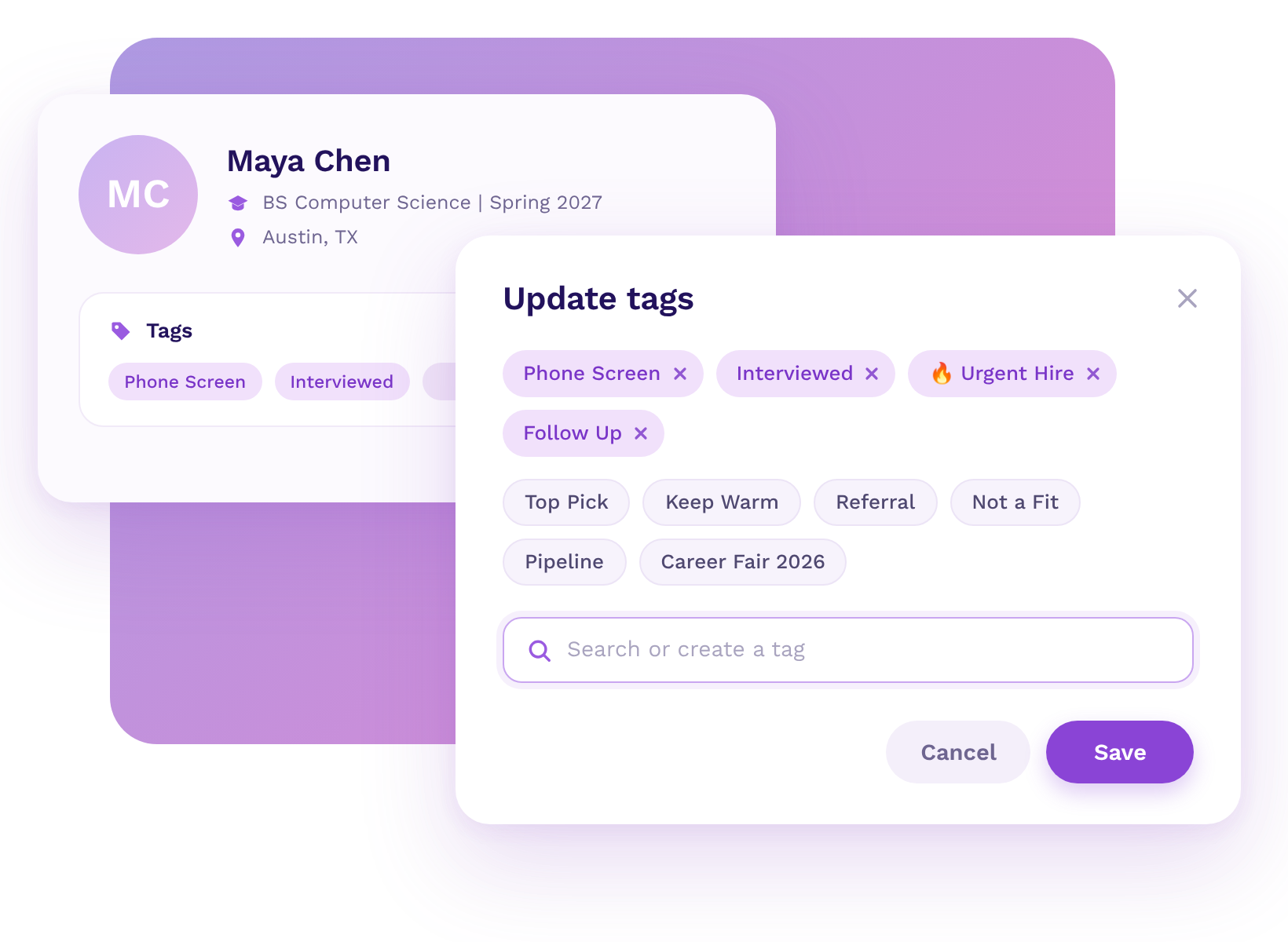
Candidate Tags will help you keep track of promising candidates, pick up where you left off, and focus future searches on the people you want to reach next.
With customizable labels, you'll be able to organize candidates based on how you recruit, then include or exclude tagged groups from your search results.
Create tags that reflect how you recruit, whether you're sourcing for a particular role, building a pipeline for a future hiring cycle, or preparing outreach for an upcoming event.
For example, you might tag candidates:
You'll be able to apply tags to individual candidates or multiple candidates at once. Candidates can have multiple tags, so you can organize them in ways that fit your recruiting process.
And if you're working with other recruiters, tags will be shared across your organization's 12twenty subscription, making it easier to keep track of candidates together.
If you already use Saved Searches or Favorites, tags will give you another way to organize your work. Saved Searches bring you back to candidates who match specific criteria. Favorites keep a personal list. Candidate Tags will let you create multiple groups, share them with your team, and use them to narrow future searches.
Candidate Tags will do more than help you save candidates for later. You'll also be able to include or exclude tagged candidates from search results.
Want to return to a group of promising students you've already identified? Filter by their tag.
Don't want to keep reviewing candidates you've already considered? Exclude their tag.
Instead of reviewing dozens of the same profiles every time you return to a search, you'll be able to filter out candidates you've already considered and focus on who's left.
Candidate Tags will also make it easier to move from sourcing candidates to engaging them. You'll be able to use tags to filter recipients for recruiting campaigns associated with multi-school job postings, events, and interviews.
For example, if you've identified students you want to invite to an upcoming recruiting event, you can tag them as you search and return to that group when you're ready to send your campaign.
Whether you're sourcing on your own or working with a larger recruiting team, Candidate Tags will help you keep track of the candidates you've found and make that work useful the next time you search. Save promising prospects for future opportunities, focus on candidates you haven't reviewed, and build targeted outreach lists without maintaining separate spreadsheets.
Less time revisiting the same candidates. More time finding and engaging the right ones.
Coming Soon to Global Candidate Search
Candidate Tags will be available soon to employers using 12twenty's Global Candidate Search feature in the Talent Acquisition Hub. Stay tuned for more details on availability and how to get started.
Already a 12twenty customer? Contact your Account Manager to learn more about these updates and what’s on the roadmap.
Not yet a 12twenty partner? Request a demo to see how 12twenty helps employers discover high-signal talent through our trusted talent network.
What are Candidate Tags?
Candidate Tags are customizable labels that let you organize candidates and include or exclude tagged groups from results in 12twenty's Global Candidate Search.
Will I be able to use Candidate Tags if I'm the only recruiter on my team?
Yes. You can use tags to organize candidates for different roles, save promising prospects for future hiring cycles, and keep track of profiles you've already reviewed.
Will multiple recruiters see the same Candidate Tags?
Yes. Tags are shared across everyone on your organization's 12twenty subscription.
Will I be able to apply more than one tag to a candidate? Can I tag multiple candidates at once?
Yes. Candidates can have multiple tags. You can also select multiple candidates to add, remove, or clear tags in bulk.
Will I be able to use Candidate Tags for recruiting campaigns?
Yes. Tags can be used to filter recipients for recruiting campaigns associated with multi-school job postings, events, and interviews.
How are Candidate Tags different from Saved Searches and Favorites?
Saved Searches let you return to candidates who match specific search criteria. Favorites let you maintain a personal list of candidates.
Candidate Tags let you create multiple custom groups, share those groups with your team, and include or exclude tagged candidates from future searches.